
How to activate your MyQPT account video
Welcome back to MyQPT portal, developed by Queensland Public Trustee.
This video shows you how to activate your MyQPT account.
It also gives you important information about the rules for using MyQPT and how to get help when you need it.
You will need an email from us to start using MyQPT.
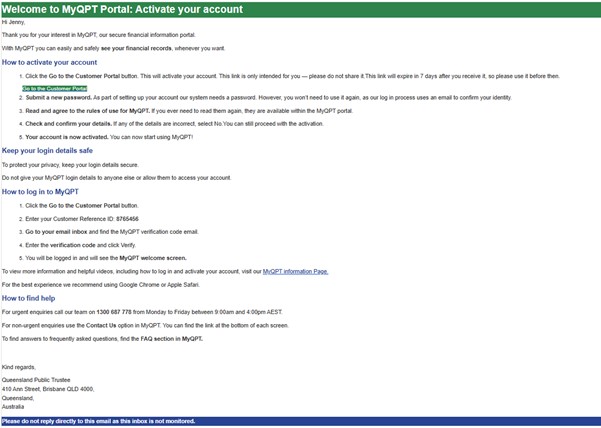
Look in your inbox for an email called ‘Welcome to MyQPT: Activate Your Account’. This email explains the four steps you need to take to set up your MyQPT account.
Once you have read the steps, click the ‘Go to the Customer Portal’ button in your email.
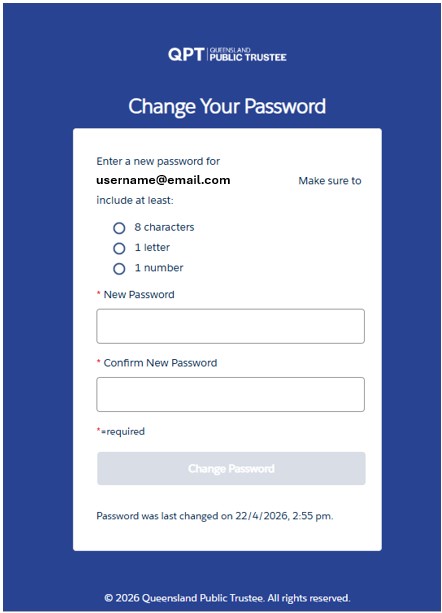
After you click the button, you will see a password screen. Your username is your customer ID.
Do not worry that you do not already have a password. Follow the instructions to create one now.
Once you have filled out both boxes, click the ‘Change Password’ button.
You will not need this password again. That is because next time you want to use MyQPT, you can enter your customer ID, and a code will be sent to your email that will let you log in.
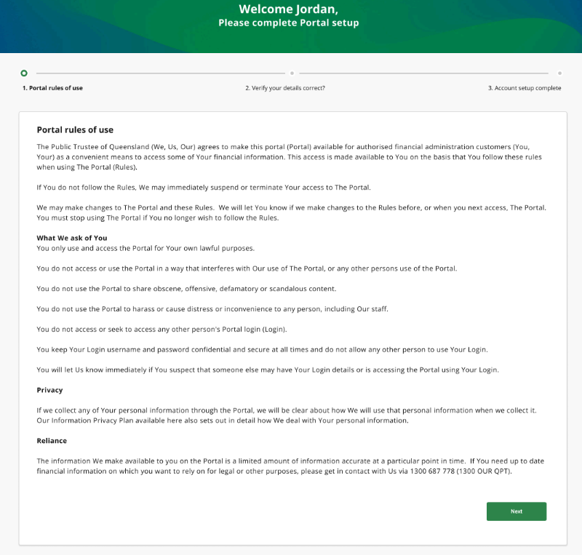
After you click the button, you will see a screen that shows the MyQPT rules.
The rules tell you how you should use MyQPT. They also tell you how we will look after your personal information.
If you are not sure about the rules, you can call us on 1300 687 778 between 9:00 AM and 4:00 PM on weekdays to ask questions about them.
When you are sure you understand the rules, click the ‘Next’ button.
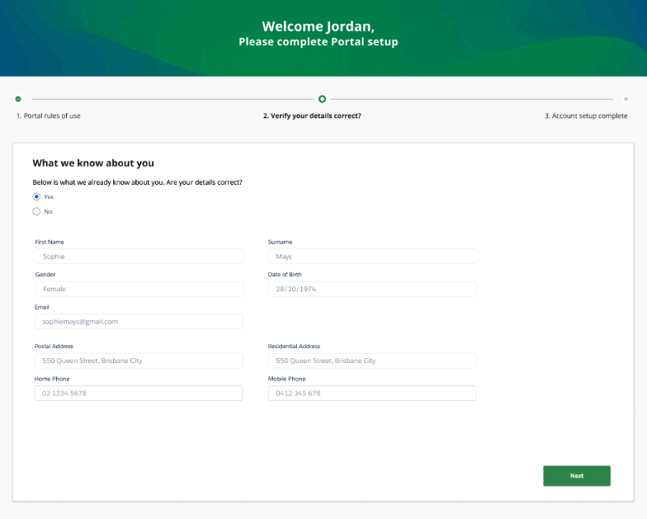
After you click the button, you will see a screen that shows information we have about you.
Check this information. If it is correct, click the ‘Yes’ button. If some information is wrong, click the ‘No’ button.
You can still activate your MyQPT account even if some information is wrong. If you click ‘No’, we will contact you later to update your information.
Once you have clicked ‘Yes’ or ‘No’, click the ‘Next’ button.
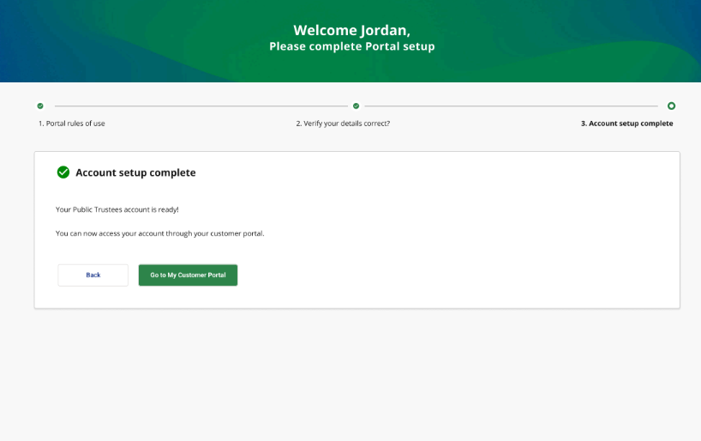
After you click the button, you will see a screen that tells you your account set-up is complete. That means your account is activated and ready to use.
You can click the ‘Go to My Customer Portal’ button to use your account straight away to see your account balance, check your payments and use many other MyQPT features.
Keep watching this video for more information about how to use MyQPT and how to ask us for support.
Keeping your account safe and being respectful are both important when you are using MyQPT.
Never give another person your MyQPT account information, like your customer ID.
The MyQPT rules make sure everyone uses MyQPT in a respectful way. If you break the rules, you might not be able to keep using MyQPT.
You can remind yourself what the rules are at any time by clicking the ‘View Portal Rules of Use’ button at the bottom of any MyQPT page.
It is also important to remember that we are here to support you.
If you need help urgently, call us on 1300 687 778 between 9:00 AM and 4:00 PM on weekdays.
If it is not urgent, you can contact us by clicking on the button underneath the phone symbol at the bottom of any page in MyQPT.
If you have questions about MyQPT or our services, go to the Frequently Asked Questions page for answers.
We hope MyQPT is a quick, easy way for you to get information and manage your money when you need it.
1. Check your email
Find our Welcome to MyQPT portal: Activate your account email we sent you.
Click the Go to the Customer Portal button.
This link is only intended for you, please do not share it. This link will expire in 7 days after you receive it, so please use it before then.
2. Create a one-time password
To set up your account our system needs a password but you won’t need to use it again.
Instead, our log in process sends you an email each time to confirm your identity.
3. Review the rules of use
Read the rules of use for MyQPT.
If you ever need to read them again, they are available within the MyQPT portal.
4. Verify your details
If any of the details are incorrect, select No. You can still proceed with the activation. Someone from our customer support team will then contact you in due course.
5. Your account is active!
You can now start using MyQPT!
Keep your login details safe
To protect your privacy, keep your login details secure.
Do not give your MyQPT login details to anyone else or allow them to use them to access your account.