
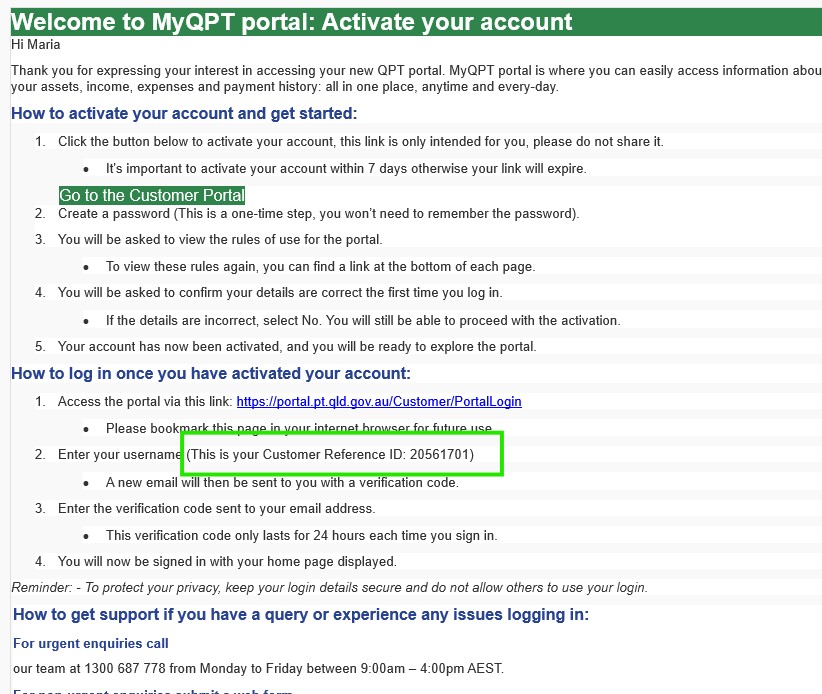
1. Have your Customer Reference ID ready
You can find this in the email we sent previously, Welcome to MyQPT: Activate your account.
2. Go to the sign in screen
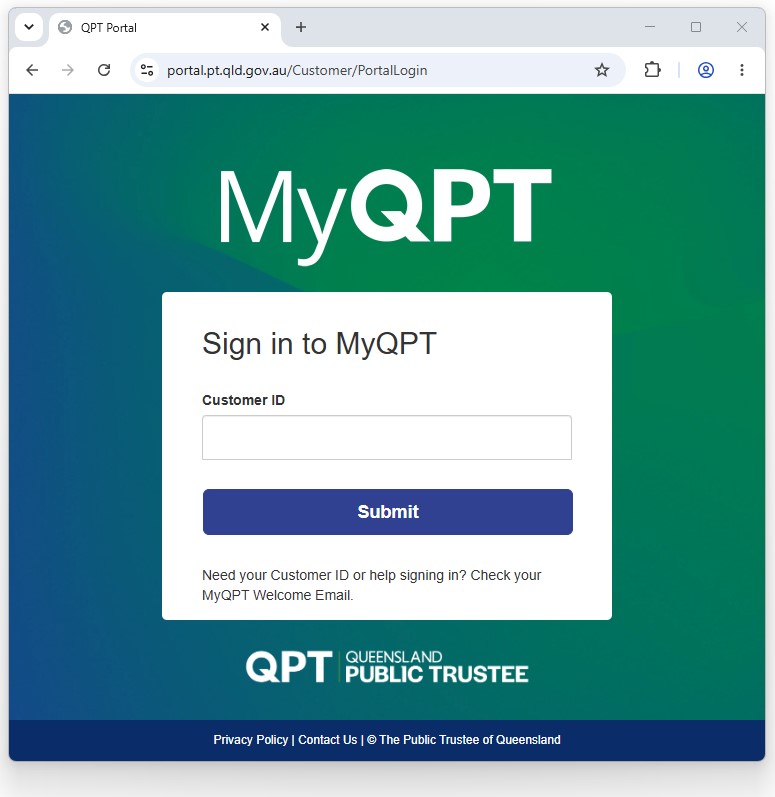
Go to the Sign in to MyQPT screen and Enter your Customer Reference ID.
Add your Customer ID and then click Submit.
3. Find verify email
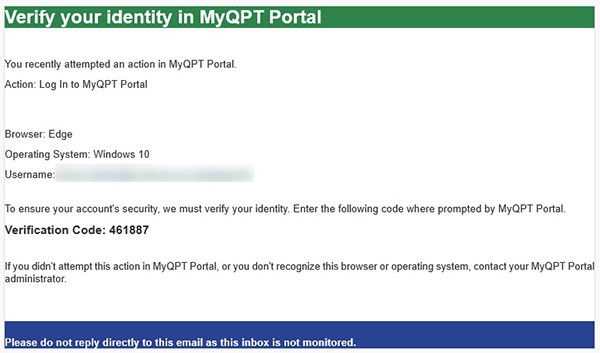
Go to your email inbox and find the email Verify your identity in MyQPT Portal.
In the email you should then find the Verification Code.
4. Enter Verification Code
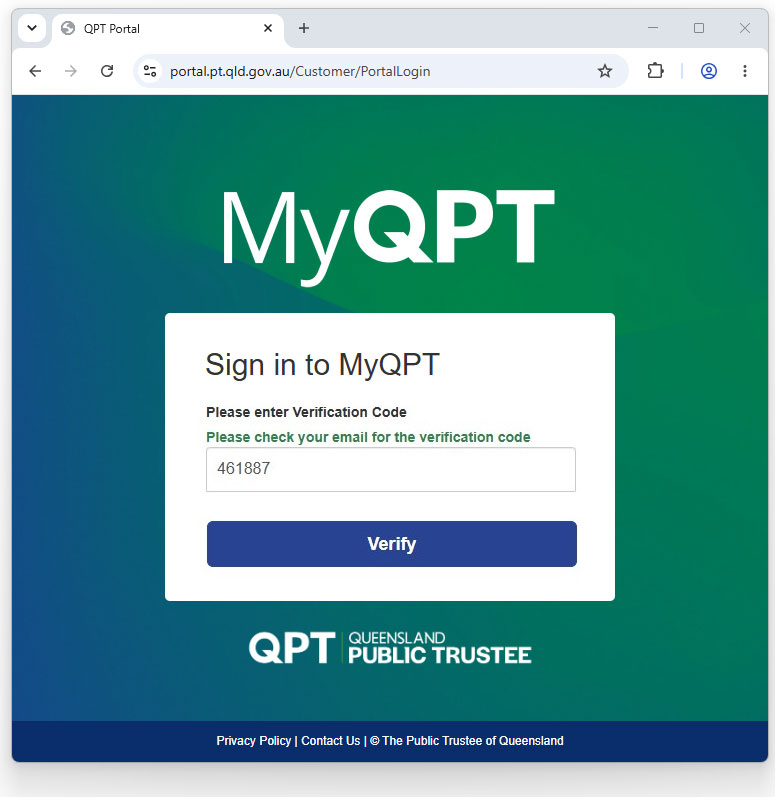
Enter the Verification Code and click the Verify button.
If the Verification Code is correct, you will be logged in and will see the MyQPT welcome screen.
Get help to sign in to MyQPT
If you have any problems with signing in to MyQPT, call our team for help.
They are available Monday to Friday between 9:00am and 4:00pm AEST.